Best Parental Control for Android 2026: 7 Apps Compared (Free & Paid)
Android powers most kids' devices. This complete guide compares every parental control option for Android in 2026, from free built-in tools to educational apps that teach healthy screen habits.

Android runs on roughly 72% of smartphones and tablets worldwide, which means the odds are high that your child’s device is an Android. The good news: you have more parental control options for Android than on any other platform. The challenge: not all of them are created equal, and picking the wrong one can leave you frustrated or, worse, lulled into a false sense of security.
This guide walks you through every major option available in 2026, explains what each does best, and helps you choose the right tool based on your child’s age and your family’s priorities.
No single app wins for every family — the right pick depends on your child’s age and whether you want monitoring or education. The short version:
- Best free option: Google Family Link — solid basics at no cost.
- Best for monitoring older kids: Bark or Qustodio — deep activity tracking and alerts.
- Best for ages 6–12 who should learn, not just be blocked: Nami Kids — screen limits paired with educational content.
Full comparison, prices and age-by-age advice are below.
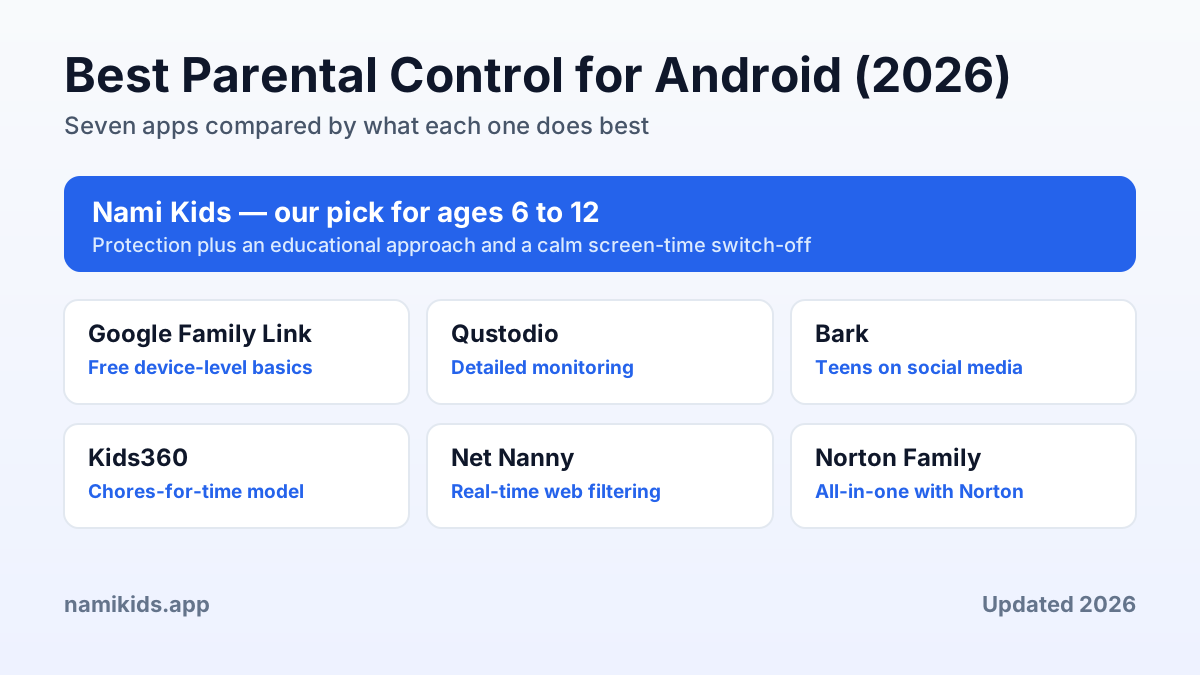
Best Android Parental Control at a Glance
Short on time? Here is a quick summary. The full breakdown and a detailed comparison table follow below.
| Option | Best for | Notes |
|---|---|---|
| Nami Kids — our pick | Ages 6 to 12 | Protection plus an educational approach and the Narrative Pedagogical Pause for calm switch-offs |
| Google Family Link | Free device-level basics | App approval, time limits and location, built into Android |
| Qustodio | Detailed monitoring | Broad oversight across platforms, aimed at older children and teens |
| Bark | Teens on social media | Content monitoring that flags concerns |
| Kids360 | Chores-for-time model | Children earn screen time by completing tasks |
| Net Nanny | Real-time web filtering | Category-based filtering across Android, iOS and desktop |
| Norton Family | All-in-one with Norton security | Web, time and search supervision plus a school-time mode |
Our recommendation for ages 6 to 12 on Android: Nami Kids for the educational layer, with Family Link underneath for device-level basics.
Why Android Parental Controls Matter More Than Ever
Children are getting their first smartphones younger every year. Recent surveys put the average age for a child’s first personal device at around 8 years old. At that age, a child’s prefrontal cortex — the brain region responsible for impulse control and decision-making — is still a decade away from full maturity. That gap between access and self-regulation is exactly what parental controls are designed to bridge.
But not all parental controls bridge it in the same way. Some build a wall. Others build a bridge. The best tools do both.
Android Parental Control Options in 2026
1. Google Family Link (Free, Built Into Android)
Every Android device ships with Family Link, making it the default starting point for most parents. Here is what it offers:
- App approval: Children request permission to download apps from the Play Store.
- Daily screen-time limits: Set maximum hours per day and a bedtime device lock.
- Device location: See your child’s phone on a map in real time.
- Remote lock: Lock the device instantly from your phone.
- Basic search filters: SafeSearch for Google and restricted mode for YouTube.
Good to know: Free and built in, with a simple setup that covers the basics. It monitors time rather than content inside apps, uses YouTube restricted mode, switches off when the child turns 13, and ends screen time with a straight lockout (no guided transition).
For a feature-by-feature breakdown, see Nami Kids vs Google Family Link.
2. Nami Kids ($5.99/month or $50/year)
Nami Kids is designed specifically for Android devices and the 6–12 age range. It takes everything Family Link does and layers on the educational dimension that Family Link lacks.
Key features:
- App whitelist: Only approved apps are accessible, with content reviewed by child-development specialists.
- Screen-time scheduling: Set daily limits with flexible time blocks.
- Active content protection: Real-time detection of cyberbullying, inappropriate content, and harmful interactions — not just browser-level filtering.
- The Pedagogical Pause: When screen time ends, the child transitions through a calming 7–8 minute narrated story instead of facing an abrupt lockout. This breaks the dopamine cycle and virtually eliminates screen-time tantrums.
- Offline task assignments: Parents assign real-world activities (drawing, reading, outdoor play, chores) as screen-time alternatives.
- Daily routines: Morning and evening checklists that children complete independently, building self-management skills.
- Parent reports: Detailed insights into usage patterns and safety events.
Good to know: Purpose-built for the 6 to 12 age range with an educational approach, specialist-reviewed content and a 14-day free trial. It is Android-first (check the website for iOS status) and, by design, does not include GPS tracking or message monitoring (a privacy-first choice).
Explore the Nami Kids educational approach.
3. Qustodio ($55–$90/year)
Qustodio focuses on monitoring and gives parents broad visibility into a child’s digital activity.
Key features:
- Comprehensive web and app filtering
- Call and SMS monitoring
- Social media tracking
- GPS location history
- Periodic screenshot capture
- Panic button
Good to know: Works across Android, iOS, Windows and Mac, with detailed monitoring aimed mainly at older children and teenagers. It focuses on oversight rather than educational features, and pricing sits at the higher end.
Compare them in detail in our Nami Kids vs Qustodio comparison, or browse the best Qustodio alternatives for 2026.
4. Bark ($14/month)
Bark specializes in content monitoring across texts, emails, and 30+ social media platforms. It uses pattern detection to flag signs of cyberbullying, depression, suicidal ideation, and online predators.
Good to know: Designed mainly for teenagers on social media, using content monitoring to flag concerns. It offers limited screen-time management and no educational features, so it is less suited to younger children.
5. Kids360 (Free / Premium)
Kids360 gamifies the parental control experience: children earn screen time by completing real-world tasks assigned by parents.
Good to know: Uses a chores-for-screen-time model with a free tier. Content filtering is basic, there is no guided transition when screen time ends, and iOS support requires iOS 15.2 or later.
See how it stacks up in our Nami Kids vs Kids360 comparison.
6. Net Nanny ($39.99–$60.99/year)
Net Nanny built its reputation on web content filtering. Instead of relying on a fixed blocklist, it analyzes pages in real time and blocks unsuitable material by category, which makes it effective against new or unknown sites.
Good to know: Strong real-time content filtering across Android, iOS, Windows and Mac, with screen-time scheduling, app management, location and instant alerts. It focuses on filtering and monitoring rather than educational features, and the price scales with the number of devices you protect.
7. Norton Family ($49.99/year)
Norton Family folds parental controls into the wider Norton security ecosystem. It covers web supervision, time limits and search insights, and adds a school-time mode that keeps children focused during study hours.
Good to know: Reliable web and time supervision with unlimited devices on Android and Windows, though iOS coverage is more limited. Like most surveillance-first tools, it centers on oversight rather than a guided screen-time transition or educational content. For a calmer end to screen time on the 6 to 12 age range, see how Nami Kids handles the switch-off.
Comparison Table: Android Parental Controls 2026
| Feature | Family Link | Nami Kids | Qustodio | Bark | Kids360 |
|---|---|---|---|---|---|
| Price | Free | $50–$72/yr | $55–$90/yr | $168/yr | Free/Premium |
| Best for ages | Under 13 | 6–12 | All ages | Teens | 3–16 |
| Educational approach | ❌ | ✅ | ❌ | ❌ | Partial |
| Pedagogical Pause | ❌ | ✅ | ❌ | ❌ | ❌ |
| Content filtering | Basic | Advanced | Advanced | Advanced | Basic |
| Screen-time limits | ✅ | ✅ | ✅ | Limited | ✅ |
| Offline tasks | ❌ | ✅ | ❌ | ❌ | ✅ |
| Daily routines | ❌ | ✅ | ❌ | ❌ | ❌ |
| GPS tracking | ✅ | ❌ | ✅ | ✅ | ❌ |
| Social media monitoring | ❌ | ❌ | ✅ | ✅ | ❌ |
| Free trial | N/A | 14 days | 3 days | 7 days | N/A |
How to Set Up Parental Controls on Android: Step by Step
Regardless of which app you choose, the setup process follows a similar pattern:
- Create a child account: For children under 13, Google automatically manages the account through Family Link. Set this up first as your device-level foundation.
- Install the parent app on your own smartphone. This is your control center.
- Link the devices by scanning a QR code or entering the child’s email. Most apps complete pairing in under two minutes.
- Set initial limits conservatively. Start with shorter screen-time windows and a tight app whitelist. You can always loosen rules as trust builds.
- Explain the rules to your child. Transparency matters. Children cooperate more when they understand why limits exist, not just that they do.
See the Nami Kids parent setup guide.
Which Parental Control Is Best by Age Group
Ages 6–8: Foundation Years
At this age, children are just beginning to use devices independently. They need strong guardrails and gentle guidance.
Recommended: Google Family Link as the device-level base + Nami Kids for the educational layer. The Pedagogical Pause is especially effective at this age, when children are most susceptible to overstimulation and least equipped to self-regulate.
Ages 9–12: Growing Independence
Children in this range are developing their own preferences and pushing boundaries. They need protection that respects their growing autonomy.
Recommended: Nami Kids as the primary tool. The combination of content protection, screen-time management, offline tasks, and daily routines maps perfectly to this developmental stage. Family Link can remain active underneath for device-level basics.
Ages 13+: The Teen Transition
Teenagers need less restriction and more monitoring of high-risk behaviors. Family agreements work better than hard blocks at this age.
Recommended: A family technology agreement plus light monitoring through Bark (for social media) or Qustodio (for comprehensive oversight). Heavy-handed controls at this age tend to backfire.
Common Android Parental Control Mistakes
- Relying on Family Link alone: It covers the basics but misses content risks inside apps and offers no educational value.
- Setting rules without explaining them: Children who do not understand why are more likely to resist or find workarounds.
- Starting too permissive: It is easier to gradually relax rules than to tighten them after the fact.
- Ignoring the transition problem: An abrupt screen lockout causes more conflict than the screen time itself. Tools with a smooth transition mechanism save families enormous stress.
- One-size-fits-all approach: A 7-year-old and a 14-year-old need completely different strategies.
Making the Right Choice for Your Family
There is no single “best” parental control for every family. The right choice depends on your child’s age, your budget, and what you value most: pure surveillance, educational guidance, or a combination of both.
For families with children aged 6 to 12 on Android, Nami Kids offers the strongest combination of protection and education. The Pedagogical Pause alone solves the screen-time battle that plagues most households, and the offline tasks and daily routines build skills that last well beyond childhood.
Take the free digital wellness test to discover which setup matches your family’s needs.
Related Guides
- Best screen-time apps for Android parents
- Best educational apps for 8-year-olds
- Home internet filter guide for families
Frequently Asked Questions
What is the best free parental control for Android?
Google Family Link is the best free option. It is built into every Android device and covers app approval, screen-time limits, and device location. For educational features and smoother screen-time transitions, you will need a paid tool like Nami Kids.
Can I use multiple parental control apps on the same Android device?
Yes. Many families use Family Link for device-level controls and a second app like Nami Kids for the educational layer. The two work well together without conflicts.
What is the Pedagogical Pause?
The Pedagogical Pause is a Nami Kids feature that replaces the abrupt screen lockout with a calming 7–8 minute narrated story. It breaks the dopamine cycle from fast-paced games and helps children transition off screens without meltdowns.
At what age should I start using parental controls on Android?
As soon as your child has regular access to a device. For most families, that means age 6–8. Starting early with age-appropriate tools helps establish healthy habits before problematic patterns develop.
Do parental controls really work for kids aged 6–12?
Yes, when chosen appropriately. Surveillance-only tools tend to create conflict. Educational tools like Nami Kids, which combine protection with teaching, produce better long-term outcomes because children internalize healthy habits rather than simply being restricted.
How much should I spend on a parental control app?
Free tools like Family Link cover the basics. For comprehensive protection and educational features, expect to pay $50–$90 per year. Nami Kids falls at the lower end of that range ($50/year) while offering one of the most complete feature sets for the 6–12 age group.