Parental control for children: which to choose (and what really makes a difference)
Rules and learning
Nami Kids is an educational parental control for children aged 6–12. It combines app rules, time limits and lessons reviewed by pedagogists.
The app is currently available in Italian
Nami Kids and Nami Parents are live on Google Play with an Italian interface and store listing. You can install them anyway, or leave your email: we'll let you know as soon as they're available in your language.
By submitting your email you accept data processing in accordance with our Website Privacy Policy.
What Nami Kids actually does
Nami Kids is an educational parental control for children aged 6–12. It combines app rules, time limits and lessons reviewed by pedagogists.
Link your child's phone in seconds
Install Nami Parents on your Android phone and Nami Kids on your child's. Nami Parents generates a code (or a QR code) to enter in Nami Kids: from then on, the rules you set reach their device.
Dashboard: usage time and app management
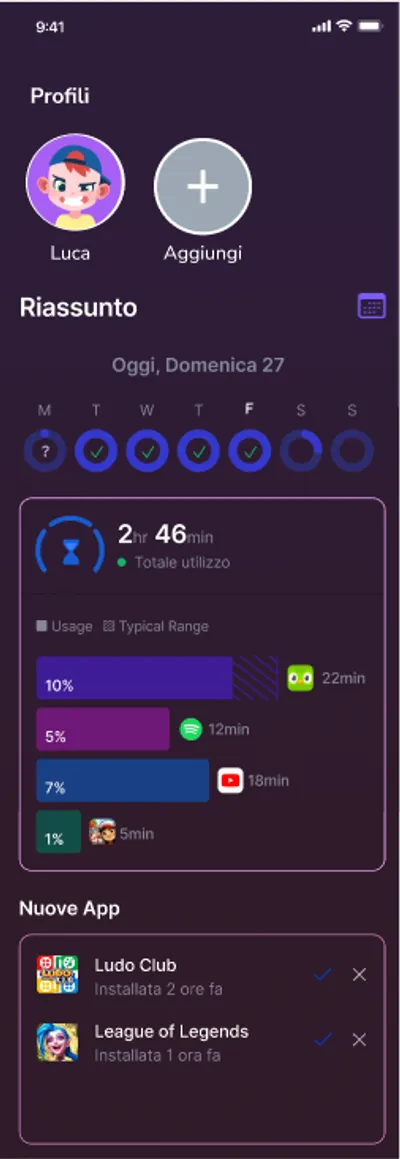
The Nami Parents dashboard shows how much time was used today and in which apps, day by day. From “Manage apps” you see blocked, monitored and neutral apps and can change the status of each one. Explain to your child what is monitored.
Approved apps only: block, limit or allow new apps
When a new app appears on your child's phone, Nami Parents lets you know and you decide whether to block it, limit it or allow it. The list of allowed apps makes the family's rules explicit.
Limit screen time and schedule breaks
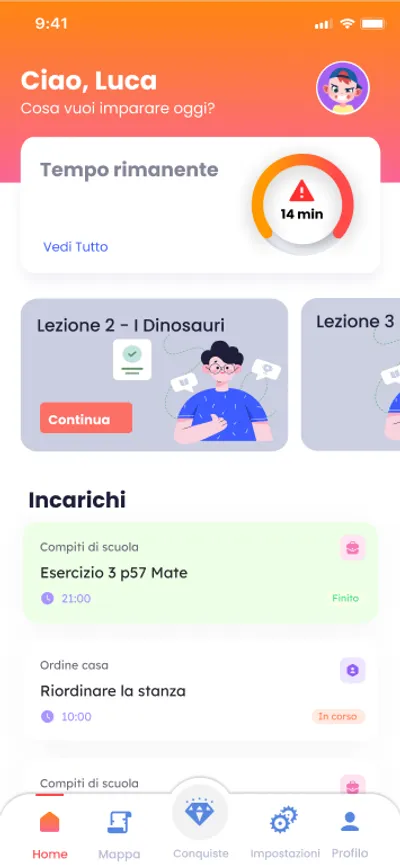
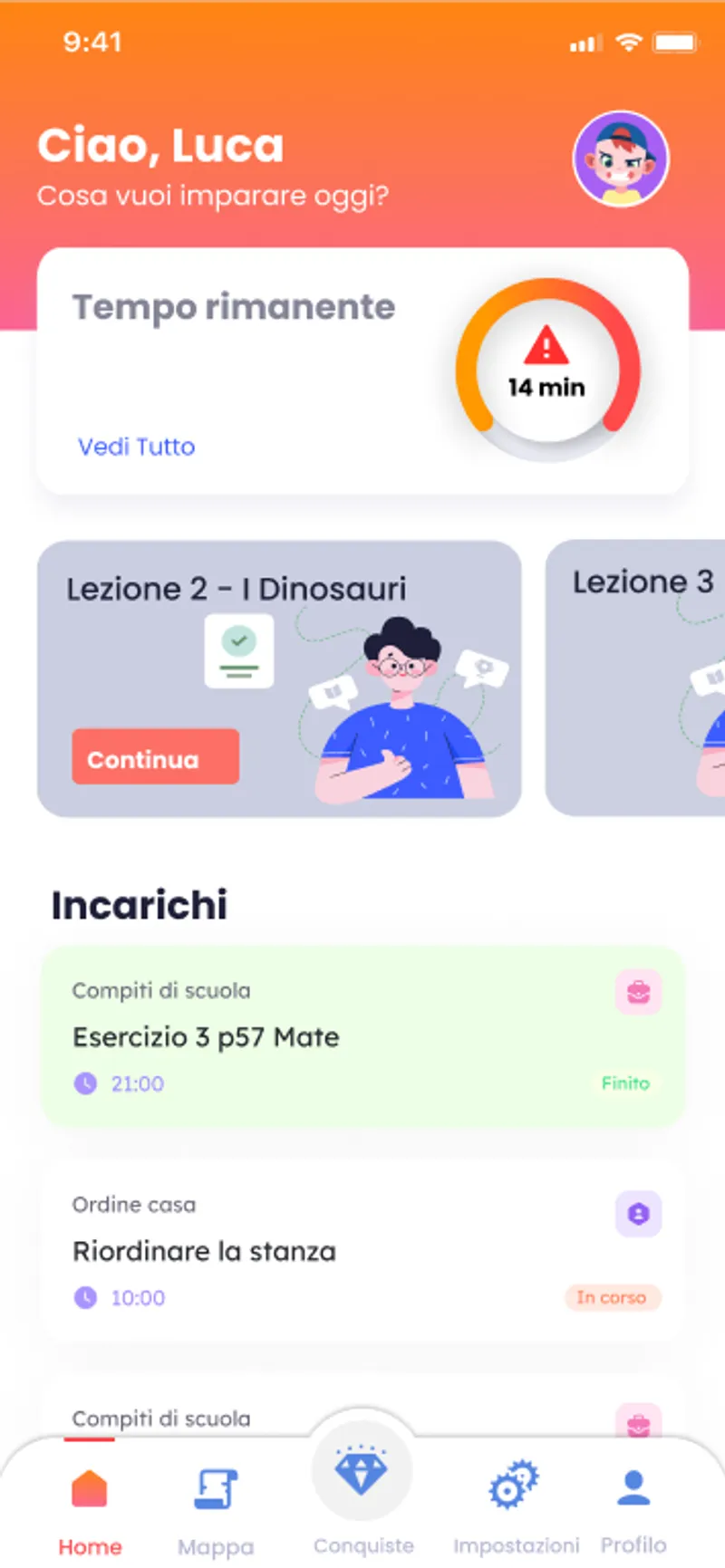
Set the daily free time, for example 2 hours, and how many minutes of use before a break, for example every 30. Nami Kids shows your child how much time is left, so the rules are clear to them too.
Choose the right kind of break
No break, a timed break, a break with a lesson or task, or a combined break of 20, 40 or 60 minutes that gets shorter when your child completes a lesson. Pick the format that suits your child's age and habits.
Real-world tasks
Assign a task, such as making the bed or reading 10 pages. Your child finds it in Nami Kids, marks it as done and you see it completed in Nami Parents.
Alerts about suspicious messages
If a notification with suspicious words reaches your child's phone, Nami Parents alerts you. Alerts are kept day by day.
Parental control on Android phones and tablets
Nami Kids installs on your child's Android smartphone or tablet: from the time left to the Pedagogical Pause, the experience is the same on both.
The Pedagogical Pause: the heart of Nami
During monitored app use, when the interval chosen by the parent is reached (for example every 30 minutes), the game stops and the Pedagogical Pause begins. It is not a lock that only comes at the end of screen time: it is a break within the session.
During the pause, your child chooses an interactive story or a task with Nami. Mini-lessons in science, coding and emotional education are designed for ages 6–12 and reviewed by pedagogists.
See how the Pedagogical Pause worksHow Nami Kids works
Install both apps
Install Nami Parents on the parent's Android device and Nami Kids on the child's. Connect the two apps and set your usage rules.
Choose the apps
Parents choose which apps their child can use. The list of allowed apps makes the family's rules explicit.
Educational breaks during app use
Parents schedule mandatory educational breaks during monitored app use, for example every 30 minutes. When the interval is reached, the child must complete the Pedagogical Pause. It does not only start when the daily screen allowance ends.
The aim is to alternate app use with educational activities and help children become familiar with digital rules.
Control and education
The aim is to alternate app use with educational activities and help children become familiar with digital rules.
Control features
- Approved apps only
- Time limits
- Usage reports
- End of allowed time
Educational goals
- Educational breaks during app use
- Educational lessons
- Understanding digital rules
- Educational journey
Compare features
Two approaches on three points: how time is managed, what the child does when the game stops, and who decides which apps are used.
| Feature | Other tools | Nami Kids |
|---|---|---|
| Screen time management | Control features | Breaks during use |
| Educational content | Feature | Integrated mini-lessons |
| Choose the apps | Control features | Approved apps only |
| Educational journey | Feature | Educational goals |
Screen time management
Usually you set a daily limit, for the whole phone or for each app: when it runs out, the app or the phone locks.
On top of the daily free time, the parent chooses after how many minutes of use a Pedagogical Pause starts, inside the session. The total time doesn't change.
Long-term impact: The rules become predictable: your child sees how much time is left and knows when the break will come.
What the child does when the game stops
Usually nothing: the device just stops. Some apps link screen time to tasks or rewards.
During the break your child follows an interactive story with a quiz or does a real-world task, such as making the bed or reading 10 pages. The mini-lessons are reviewed by pedagogists.
Long-term impact: Part of screen time becomes activity; the total time stays what the parent decided.
Who decides the apps and what you're alerted to
It depends on the product: some filter websites, others ask the parent to approve apps.
New apps stay locked until you approve them. Nami Parents also alerts you when a notification with suspicious words arrives.
Long-term impact: As children grow, agree on rules together and review them regularly. Lessons can provide starting points for conversations about privacy and online responsibility.
Quick details
6–12 years (specialised)
Android
14-day free trial, then €5.99 per month or €49.99 per year. You can cancel the subscription.
Want a detailed feature-by-feature comparison?
What your child needs at each age
A 6-year-old and a 12-year-old have completely different needs. Here's what makes sense at each stage.
First steps
For ages 6–8, choose a few age-appropriate apps and explain the rules with simple examples. Parents decide the pause intervals.
The aim is to alternate app use with educational activities and help children become familiar with digital rules.
The first requests
"All my friends have TikTok." At this age the digital world arrives through peers: class WhatsApp groups, YouTube videos, the first pressure to have a social media profile. The child wants more freedom, the parent wants more control. A balance is needed.
Usage reports help parents understand which apps are used and for how long. Explain to your child what is monitored.
Towards independence
At 12, official social media access is just around the corner. The parental control doesn't disappear, but its role changes: it's no longer a wall, it's a guardrail. The goal is for the young person to reach adolescence with a few more tools to understand what they're seeing online.
As children grow, agree on rules together and review them regularly. Lessons can provide starting points for conversations about privacy and online responsibility.
Frequently asked questions
Nami is designed for ages 6–12. There's no single right age for everyone: what matters is when your child starts using a phone or tablet on their own. From then on, they need clear rules, explained before you switch them on.
Three things change: how use stops (a hard stop or a break), what the child does when it stops, and who approves the apps. Nami Kids stops the game with a break that gets the child doing something, and has the parent approve new apps.
Right now Nami Kids is available for Android. iOS support is in development. If your child uses an iPhone, you can still use the built-in Screen Time on iOS. We've written a dedicated guide.
No, we can't promise that: we don't yet have studies measuring the effects of the breaks. What they do is make the rules predictable: your child sees how much time is left and knows the break is coming. Conversation and family habits remain the most important part.
14-day free trial, then €5.99 per month or €49.99 per year. You can cancel the subscription.
14-day free trial
If you're looking for a parental control for children aged 6–12 that does more than just block, give it a try. No credit card required.
The app is currently available in Italian
Nami Kids and Nami Parents are live on Google Play with an Italian interface and store listing. You can install them anyway, or leave your email: we'll let you know as soon as they're available in your language.
By submitting your email you accept data processing in accordance with our Website Privacy Policy.