Install Nami and take back control of your child's phone
You decide how much time, which apps and what they learn. And they can always see how much time is left.
The app is currently available in Italian
Nami Kids and Nami Parents are live on Google Play with an Italian interface and store listing. You can install them anyway, or leave your email: we'll let you know as soon as they're available in your language.
By submitting your email you accept data processing in accordance with our Website Privacy Policy.
Nami installs on a phone, not on a computer. Open your camera and scan: it takes you straight to Google Play.
You need two apps, one per phone
Nami Parents
On YOUR phone

Nami Kids
On your child's phone
- Free download
- For Android
- No ads
- PEGI 3
What Nami does, in three lines
You set times and apps from your own phone: how long they can play, what they can open, when to change the rules. All from your hand, at any moment.
During use, a break gets them doing something: at intervals you choose, the game stops and your child does a story with a quiz or a real-world task, then goes back to playing. The total time doesn't change: the phone also becomes something that teaches, not just entertains.
It is not spyware: you see how long they spend in each app, you approve new apps and you get an alert if a notification with suspicious words comes in. You do not read your child's conversations.
Two apps, two phones
Nami works as a pair: one app commands, the other carries it out. You need both.
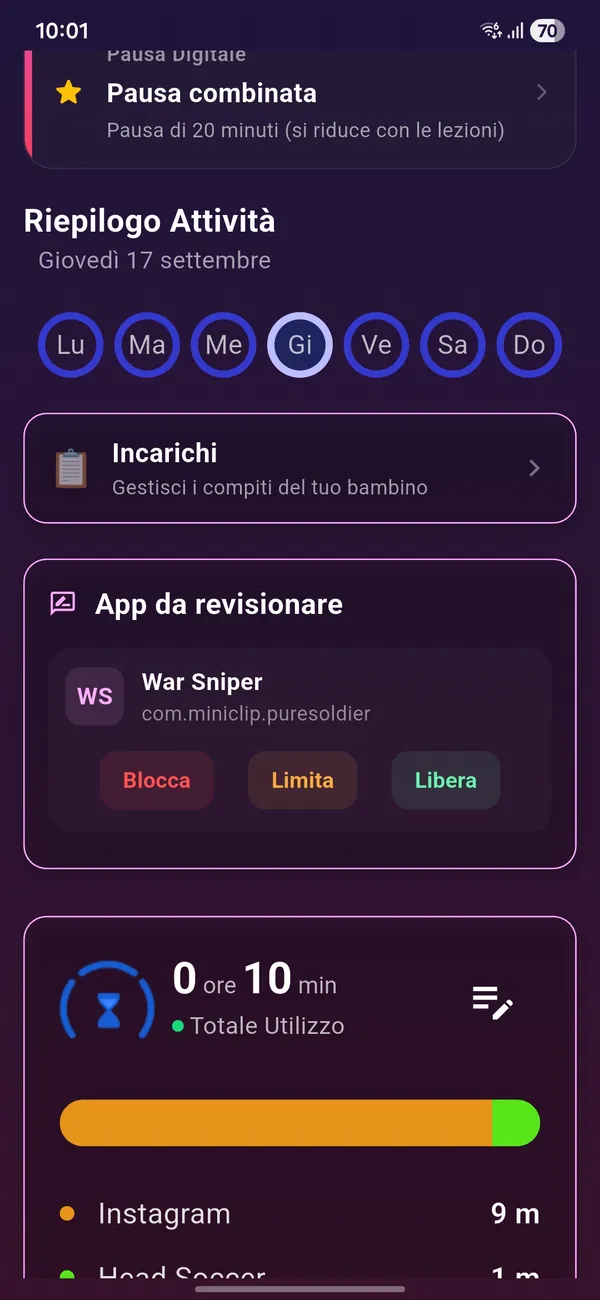
Nami Parents
The remote control. Set time limits, approve apps, see what your child did and what they learned.
Install this one first
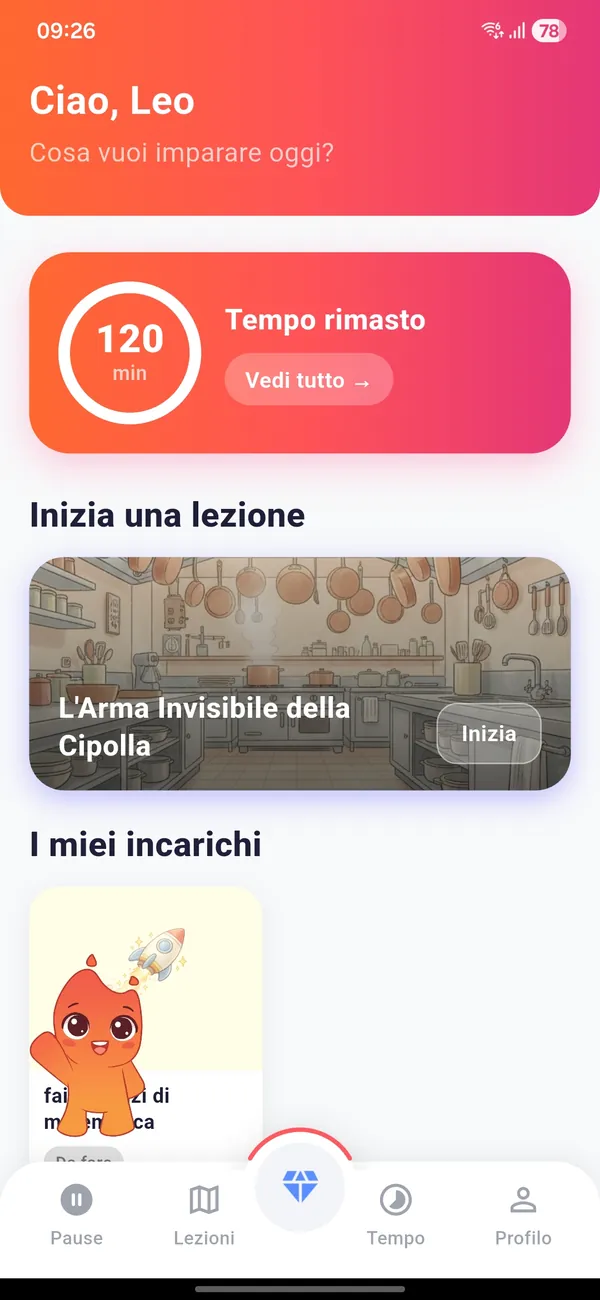
Nami Kids
The app that lives on your child's device: it applies the rules you set and offers them the mini-lessons.
Don't have their phone right now? Scan the QR code when you do, or search for "Nami Kids" on Google Play.
How to set it up
A few minutes, once and for all
- 1
Download 2 apps
Nami Kids goes on your child's phone, Nami Parents on yours.
- 2
Connect the 2 apps
Nami Parents connects to Nami Kids in seconds, using a QR code or a code sent to your phone.
- 3
Set up Nami Kids
Set usage times and allowed apps. Everything is adjustable whenever you want.
The educators who work with Nami

Giulia
Giulia specialises in emotional education. She supports parents in facing everyday challenges and rediscovering their educational role through a journey of growth and awareness. Together you can explore the best actions and tools to promote your wellbeing and your child's.

Eleonora
She specialises in parental support. She helps families build the best possible relationship with their children. At Nami she works with the team to share useful tools for parents in a clear, simple way, promoting effective digital education.

Damiano
He specialises in learning difficulties and family educational dynamics. He supports parents of children and young people (aged 6–15) in improving daily management, study habits and the educational relationship. His approach combines professional skills with clear communication, aiming to provide practical tools that can be applied straight away.

Emanuela
She supports parents in understanding and managing relationships with their children, offering practical tools for everyday educational challenges. Her approach is empathetic and hands-on, focused on reflection and building new awareness, with the aim of nurturing each family's strengths.

Cristina
For over 12 years she has worked in emotional and affective education and teaching for learning difficulties. Her studies focus on neurodevelopment, and through educational consultancy she supports families in the Fiumicino area in their children's educational growth.

Giada
She is a clinical pedagogist specialising in parenting support and in reading children's developmental needs. Through targeted consultations she helps parents better understand their children's behaviour, navigate moments of change, manage intense emotions and build a calmer family atmosphere. Her work combines listening, analysis of relational dynamics and concrete educational strategies, offering parents clear, practical tools that respect the child's development.
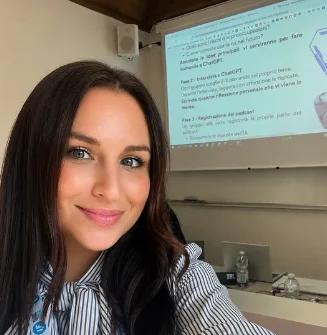
Chiara
She is an education specialist in Media Education, supporting children and teenagers along their paths of growth and learning. Her approach combines pedagogy and Media Education, with particular attention to the opportunities and challenges that digital technology brings to education. Through personalised programmes, she promotes autonomy, awareness and a use of technology that genuinely fits each person’s needs and characteristics.
Before you install
- How much does it cost?
- Downloading Nami Kids and Nami Parents from Google Play is free. After a 14-day free trial the subscription costs €5.99 per month or €49.99 per year, and you can cancel whenever you like.
- Why does Nami Kids ask for the Accessibility permission?
- It is the permission Android requires to actually enforce the rules: recognising which app is open, triggering time limits and blocking apps that aren't allowed. Nami does not use it to record audio or access personal content, and it is only activated after the parent explicitly consents. We tell you up front because it is the step that surprises people most during installation.
- Do I really need two phones?
- Yes. Nami Parents goes on your device and Nami Kids on your child's: that is what lets you change the rules remotely without taking their phone away. The two apps pair with a QR code or a short code.
- Does it work on tablets too?
- Yes, Nami Kids works on Android phones and tablets. If your child uses both, the app has to be installed on each device.
- What age is it designed for?
- Nami is designed for children aged 6 to 12. The mini-lessons are calibrated by age group and the content is rated PEGI 3.
Ready to start?
Install Nami Parents now: the rest takes a few minutes to set up.